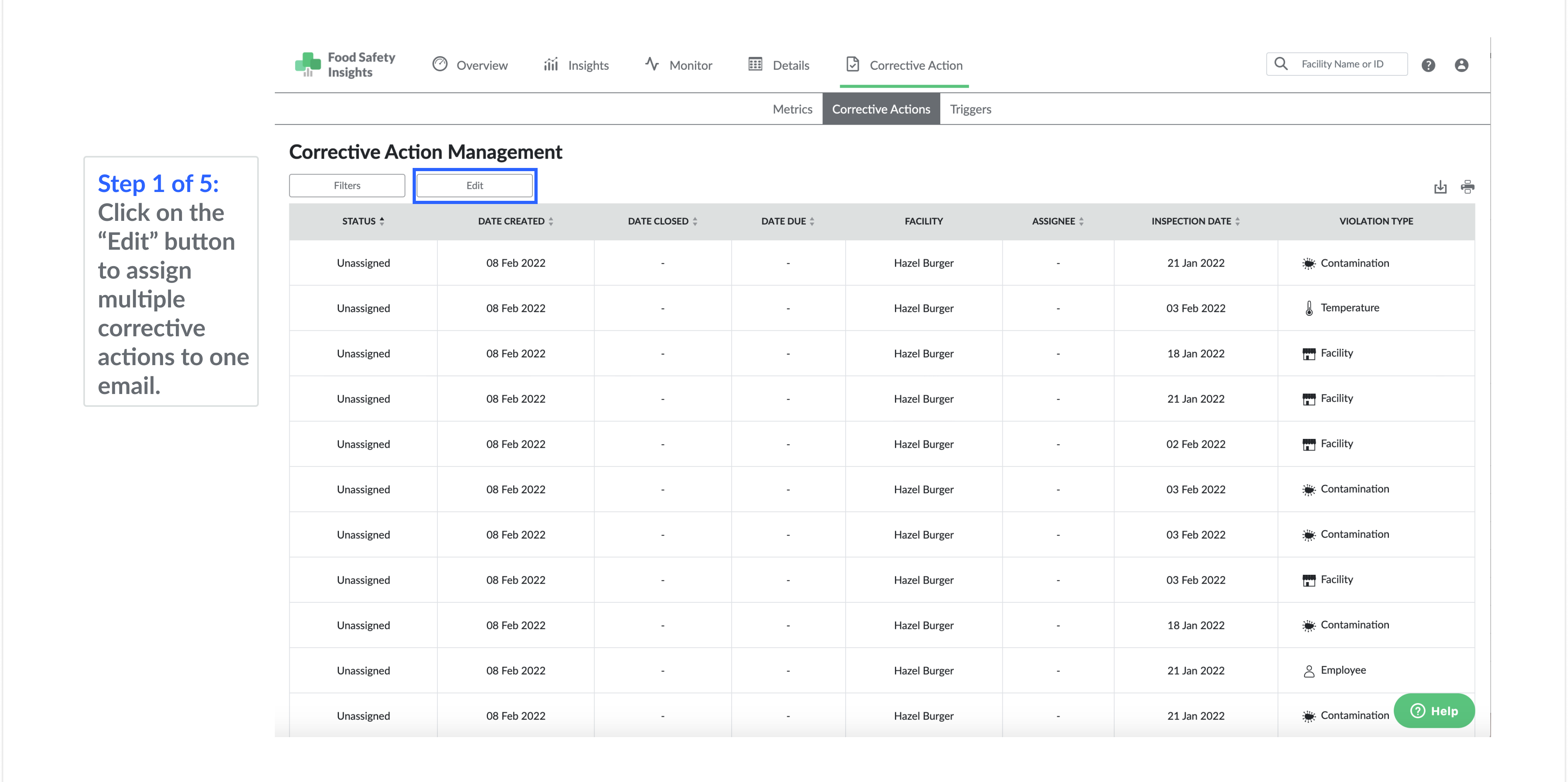
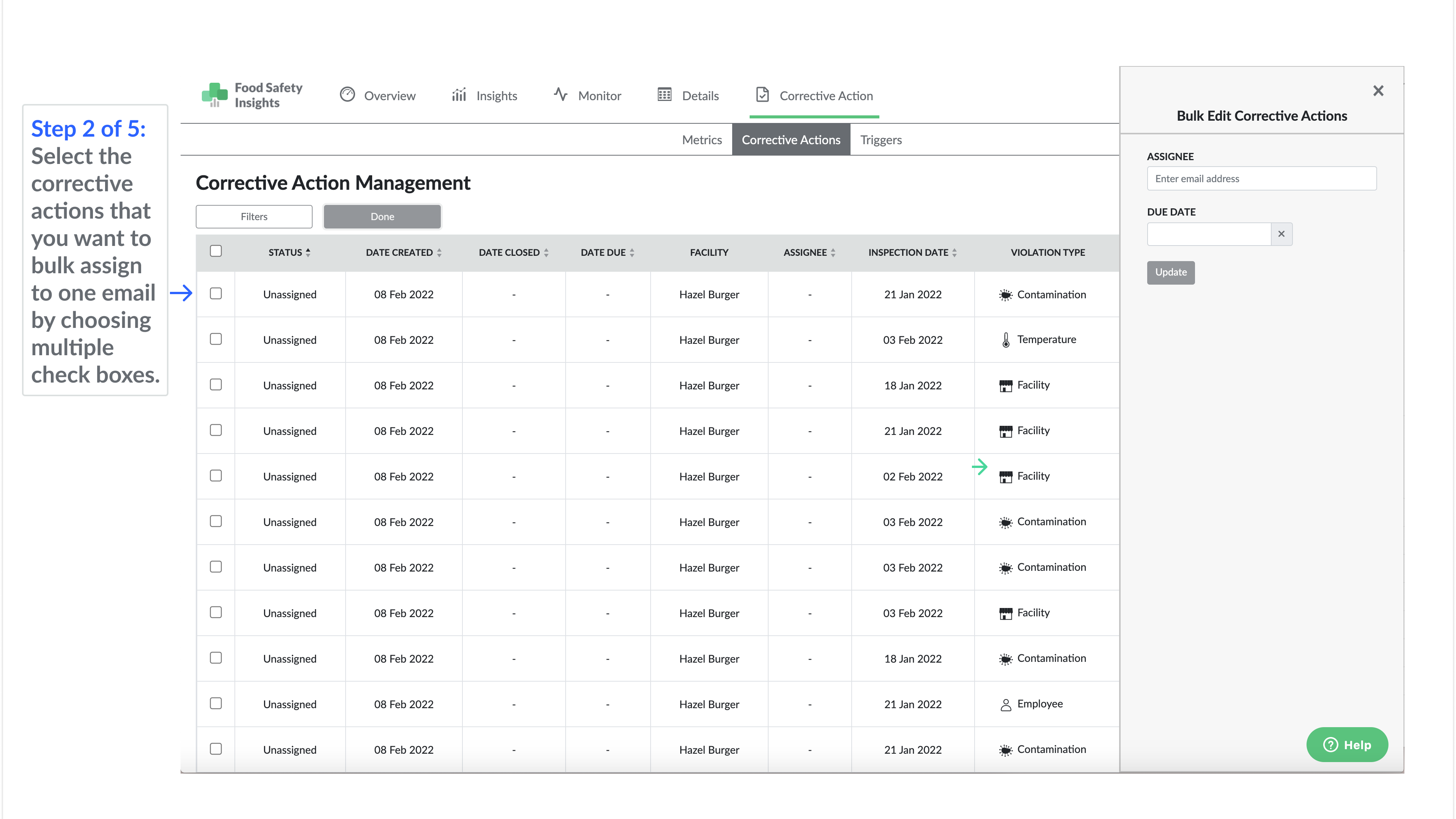
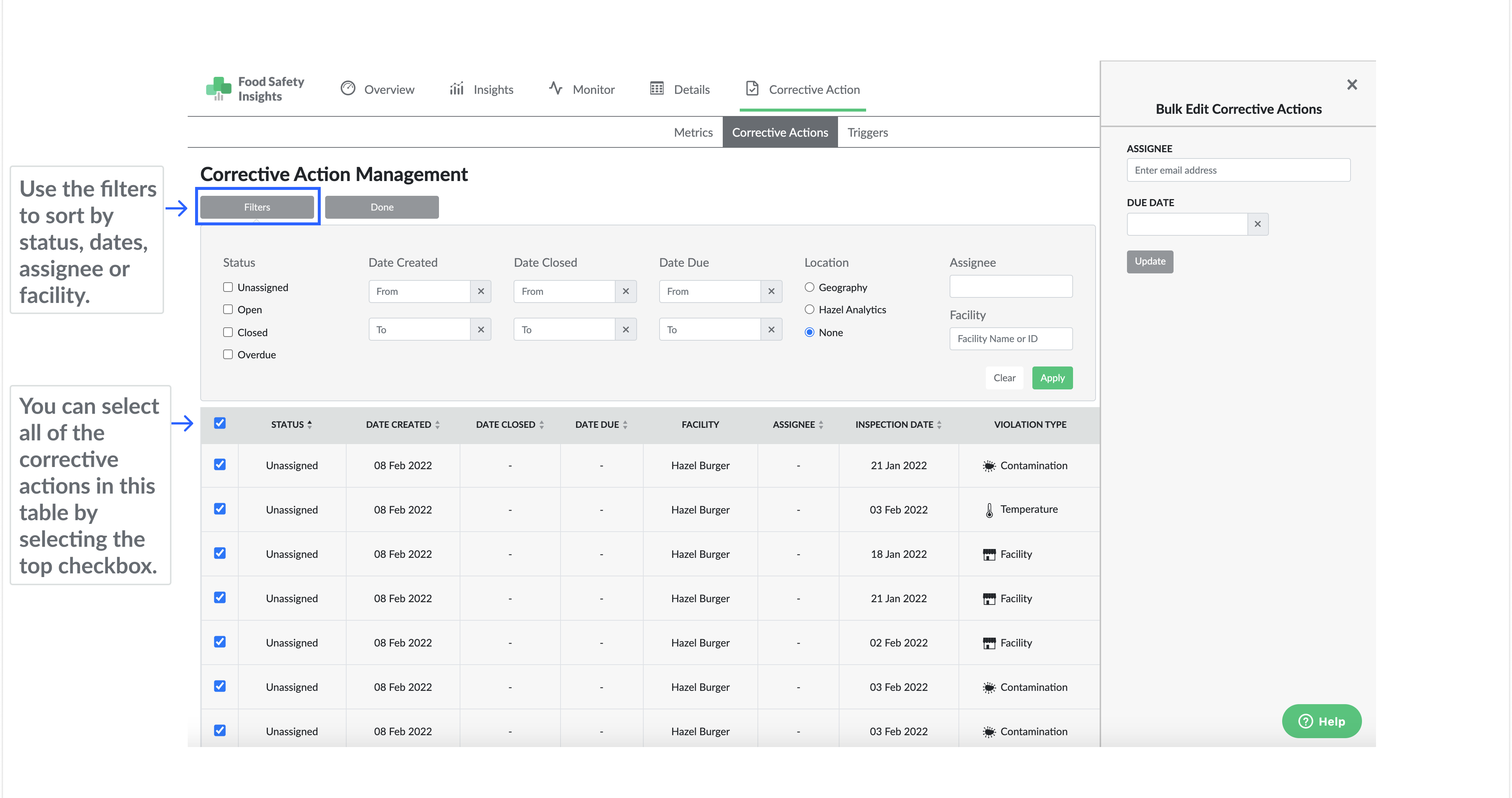
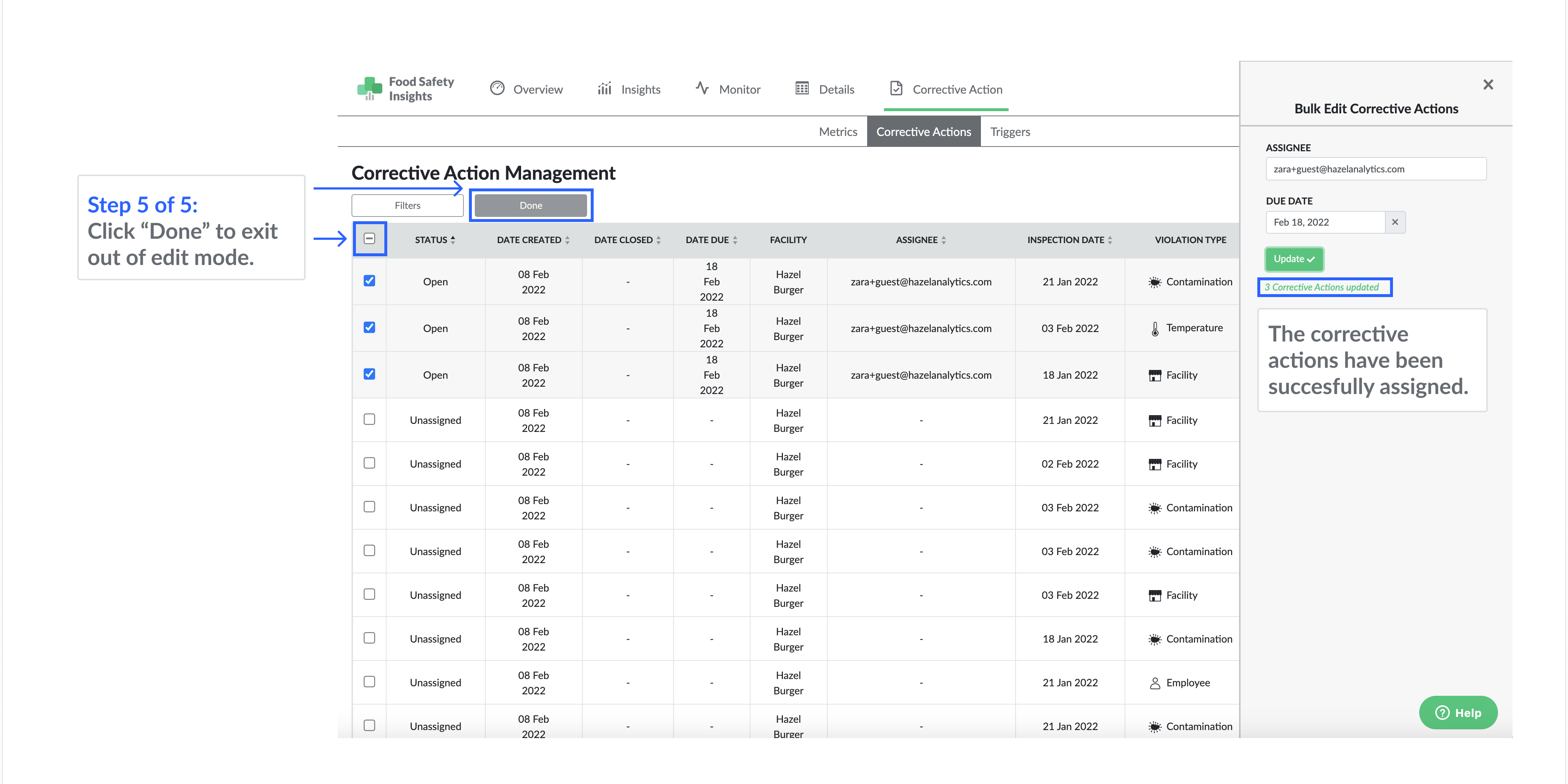
Use bulk editing to quickly assign multiple corrective action response plans to one email.
- Click "edit"
- Select the corrective actions you want to bulk assign by choosing multiple check boxes.
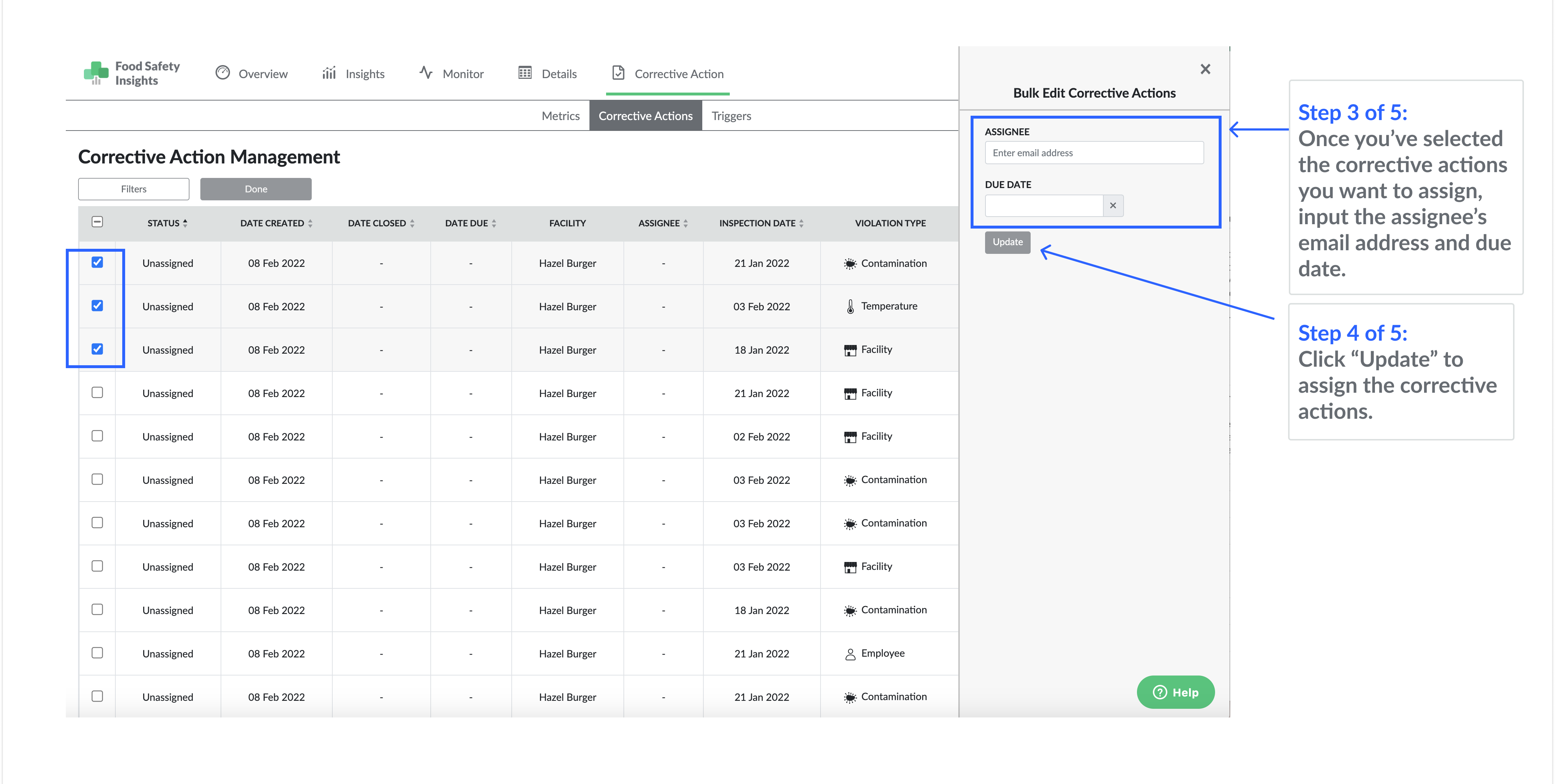
- Enter the assignee's email address and due date for the corrective action
- Click update.
- Click done!